Tutorial
AI Video Prompt Checklist
A compact checklist for turning image, text, and product references into clearer AI video prompts.
Read article
A practical workflow for turning static product images into short AI video scenes without losing product identity.

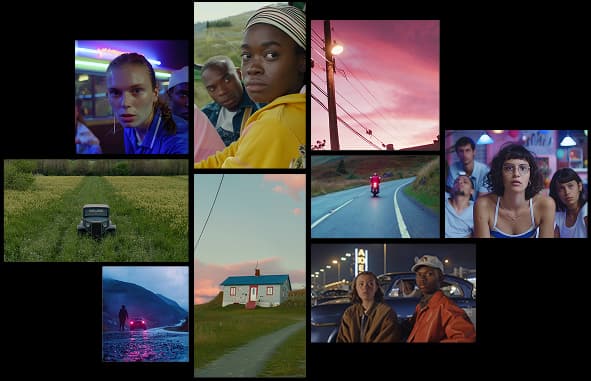
Image-to-video generation is useful when you already have a product photo, app screenshot, packaging render, or campaign visual that needs motion. The goal is not to reinvent the product. The goal is to add enough movement to make the asset feel alive.
Use the cleanest source image you have. Avoid heavy blur, extreme crops, or busy backgrounds when product consistency matters.
Short product videos work best with controlled camera movement. Use slow push-ins, gentle pans, small rotations, or light environmental motion.
After generating, check the product shape, logo area, labels, proportions, and any important visual details. If the product changes too much, simplify the prompt and regenerate.
Use the generated clip as the motion layer, then add real captions, CTA text, and brand-safe overlays in your editor.
Turn ideas, text prompts, and images into polished videos with MovArt AI. If this article helped, the fastest next step is to try the product.
Free credits on signup. Plans from $20/month.
Continue from this article into the most useful MovArt tools and creative workflows.
Create text-to-video and image-to-video clips from the main MovArt workspace.
Animate product shots, portraits, concepts, and other source images into short videos.
Generate and refine source visuals before turning them into video.
Use prompt-based editing to prepare images, improve concepts, or adjust source assets.
Edit video assets with a focused AI workflow when you already have footage to revise.
Try ready-made creative effects when you want a faster template-driven result.
Explore related AI video and image tools across our broader creator stack.
Use Wan 2.7 when you want a Wan-focused model page for text, image, reference, and audio-led testing.
A stable Wan baseline for text-to-video and image-to-video workflows.
Explore Gemini Omni workflows for image-to-video, text-to-video, and multimodal creative testing.
Follow the newer Wan 3.0 positioning and video workflow surface.
More posts in the same locale you may want to read next.
A compact checklist for turning image, text, and product references into clearer AI video prompts.
Read article
A short practical guide to writing better prompts, choosing the right format, and reviewing AI-generated images.
Read articleLearn a simple prompt structure for creating short AI videos with clear subjects, camera movement, and usable composition.
Read articleMore practical guides for AI video models, image-to-video workflows, and prompt planning.
Compare Wan model versions by capability, workflow, and practical use case.
Learn how to turn source images into Gemini Omni video clips with stronger prompt control.
Understand Gemini Omni credits, plans, and how to choose capacity for your workflow.
Plan prompts, first-frame inputs, and controlled Wan 2.2 generation workflows.