Tutorial
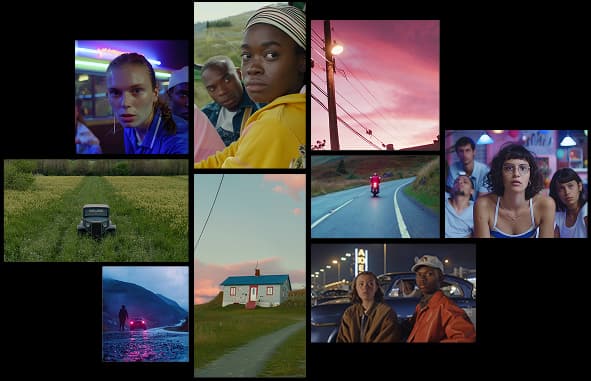
Image to Video Workflow for Product Scenes
A practical workflow for turning static product images into short AI video scenes without losing product identity.
Read article
Learn a simple prompt structure for creating short AI videos with clear subjects, camera movement, and usable composition.

Text-to-video prompts should describe the subject, scene, movement, and final use case. The model needs enough direction to create motion without turning the clip into an unfocused montage.
Start with the object, person, or scene that should remain central. Be specific about what must stay visible.
Camera language gives the video structure. Try terms like close-up, wide shot, slow dolly in, handheld, static frame, or overhead view.
Lighting, background, materials, and atmosphere make the clip feel intentional. Add only the details that matter.
For ads, product teasers, and social posts, a tight 5 to 12 second concept is usually easier to control than a long sequence.
Turn ideas, text prompts, and images into polished videos with MovArt AI. If this article helped, the fastest next step is to try the product.
Free credits on signup. Plans from $20/month.
Continue from this article into the most useful MovArt tools and creative workflows.
Create text-to-video and image-to-video clips from the main MovArt workspace.
Animate product shots, portraits, concepts, and other source images into short videos.
Generate and refine source visuals before turning them into video.
Use prompt-based editing to prepare images, improve concepts, or adjust source assets.
Edit video assets with a focused AI workflow when you already have footage to revise.
Try ready-made creative effects when you want a faster template-driven result.
Explore related AI video and image tools across our broader creator stack.
Use Wan 2.7 when you want a Wan-focused model page for text, image, reference, and audio-led testing.
A stable Wan baseline for text-to-video and image-to-video workflows.
Explore Gemini Omni workflows for image-to-video, text-to-video, and multimodal creative testing.
Follow the newer Wan 3.0 positioning and video workflow surface.
More posts in the same locale you may want to read next.
A practical workflow for turning static product images into short AI video scenes without losing product identity.
Read article
A compact checklist for turning image, text, and product references into clearer AI video prompts.
Read article
A short practical guide to writing better prompts, choosing the right format, and reviewing AI-generated images.
Read articleMore practical guides for AI video models, image-to-video workflows, and prompt planning.
Compare Wan model versions by capability, workflow, and practical use case.
Learn how to turn source images into Gemini Omni video clips with stronger prompt control.
Understand Gemini Omni credits, plans, and how to choose capacity for your workflow.
Plan prompts, first-frame inputs, and controlled Wan 2.2 generation workflows.